

One Switch is a tool for quickly turning on or off system functions on the mac platform.。For example, hide mac desktop icons with one click、Switch to mac’s dark appearance (dark mode) with one click、Turn off Mac hibernation with one click、Turn on mac screen saver with one click、Connect to AirPods and more with one click、Show hidden files on mac with one click、Turn on Mac original color display and other functions with one click,You can also customize other features!
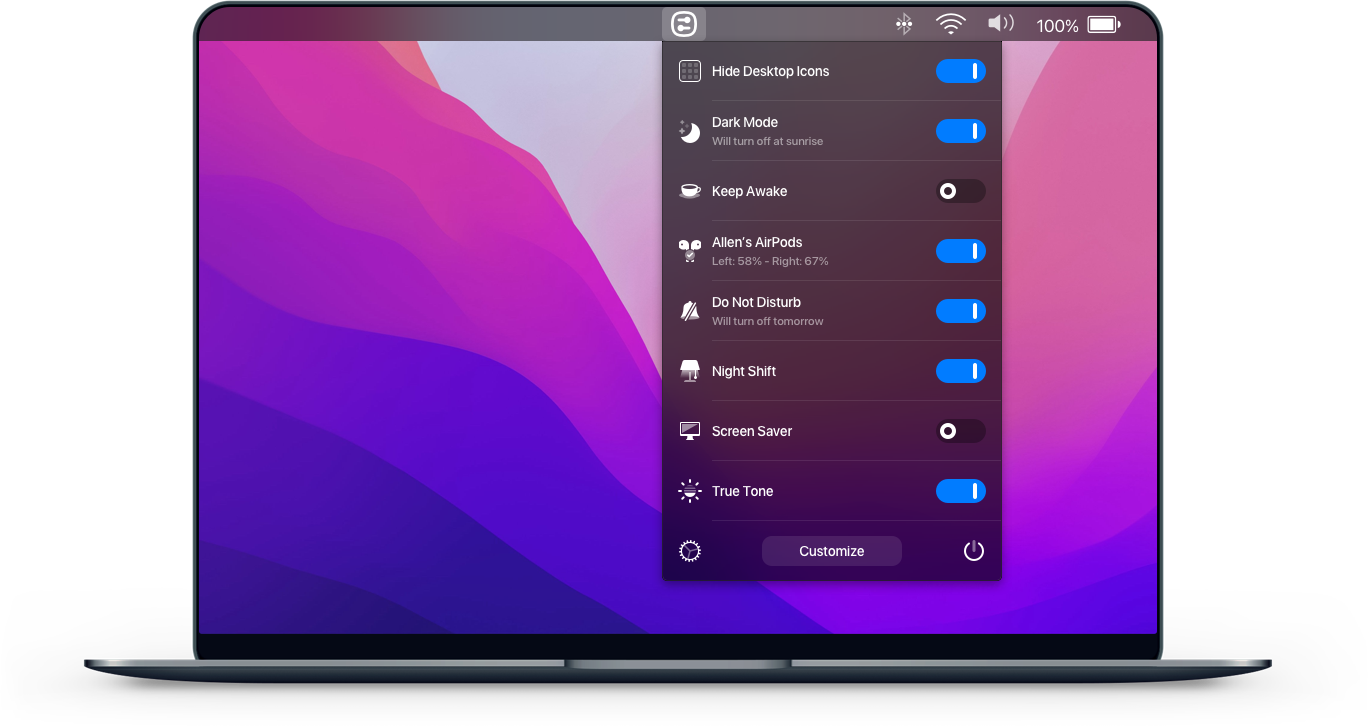
Hide desktop icons with one click
Hide all icons on your desktop with just one click。
Switch to dark mode with one click
Switch between dark/light appearance at any time。
Stay awake with one click
Prevent your Mac from sleeping or showing a screensaver。
Turn on screen saver with one click
Sometimes you may want to turn it on。
Connect AirPods with one click
It only takes a second to connect AirPods to your Mac。
Most of the download resources on this site are collected from the Internet,Only for learning and communication purposes,Copyright belongs to the original author。If you need to use non-free software or services,Please purchase genuine licenses and use them legally。If the content published on this site infringes upon your rights,Please contact the webmaster to delete,We will handle it promptly。
If the download address is invalid,You can leave me a message,The editor saw the news,Will update the link as soon as possible! Thanks!


