

Categories:Industry software Text editing MAC application
adaptation:macOS 10.12 or higher
size:18.7M | language:Multilingual[Chinese]
Update:2026March 27 20:59
Synopsis
Disclaimer
Download
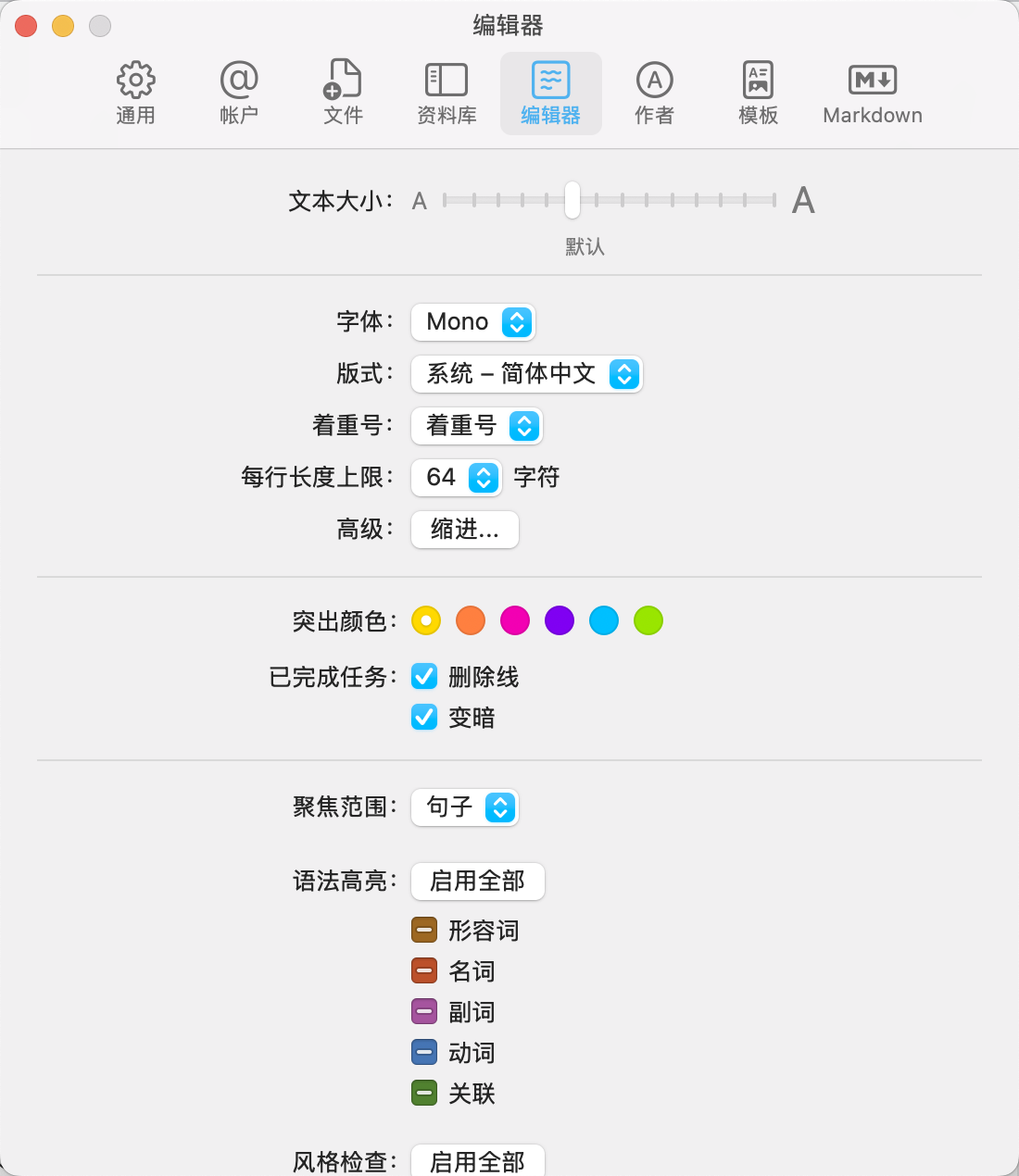
iA Writer 7.1.4 is a minimalist text editor designed for content creators,The following is a detailed introduction to it:
one、Software features
- 极简主义设计:
- iA Writer 7.1.4 abandons cumbersome interface elements,Let text take center stage,Help users immerse themselves in a pure creative world。
- No layers of menus and complicated settings,Everything is most intuitive、Presented in the most concise way。
- Markdown format support:
- Full support for Markdown format,Make document structure clear at a glance,Write more clearly and fluently。
- Users can easily embed links in plain text、picture、Tables and text files,And check the display effect through preview。
- Smart syntax highlighting and auto-completion:
- Provides intelligent syntax highlighting,Help users quickly identify grammatical errors。
- Autocomplete function can speed up the user's creative process,Improve writing efficiency。
two、Core functions
- 焦点模式:
- iA Writer 7.1.4 offers unique focus mode,This mode hides all interface elements that may interfere with writing.,Leave only a blank piece of paper and a keyboard,Let users focus more on writing。
- in focus mode,Everything outside the current sentence or paragraph fades from the user's view,Helps users stay focused and continue output。
- Cloud sync:
- Supports seamless Dropbox and Google Drive sync functionality,Ensure that users’ documents are always with them safely and securely。
- This is undoubtedly a huge boon for users who often need to process large amounts of documents.。
- Document library management:
- Provides integrated document library management capabilities,Users can easily access all texts by swiping right,No need to switch back and forth between folders。
- This makes it easier for users to manage and organize their documents。
- Export options:
- Supports exporting documents to HTML、Multiple formats including Microsoft Word (.docx) and PDF,Meet the different needs of users。
- Users can also create custom templates for previewing、Print and PDF export。
three、其他功能
- 夜间模式:
- Provides night mode with inverted color matching,Convenient for users to write at night。
- syntax control:
- Help users improve their writing through in-depth analysis of the grammatical structure of text。It can find adjective redundancy、verb weakening、Issues such as noun repetition and misuse of connectives,Make users’ text cleaner and neater。
- Real-time statistics:
- Provides reading time statistics and sentences、Word and character count statistics and other functions,Help users better understand writing progress and content quality。
Four、系统要求与更新内容
- System requirements:
- macOS 10.11或更高版本(支持Apple Silicon M系列芯片)。
- 更新内容(7.1版本):
- iA Writer与快捷键的集成有了重大升级。
- 增加了用于打开、create、编辑和整理文件的18个新操作(此功能需要macOS 13 Ventura)。
- 提供了一些实用的快捷键,并激励用户创建自己的快捷键。
- 新增了打开新文件、添加日记条目、做会议记录、打开剪贴板、听写、稍后阅读、听歌识曲保存歌曲、将文件转换为音频、复制链接、翻译、使用ChatGPT作为写作助手等实用功能。
Mac电脑安装iA Writer7.1.4全流程:
one、Prepare documents first
- Installation package download:先把 iA Writer7.1.4.dmgDownload to your Mac,Usually found in the "Downloads" folder。
- Make sure the file is not damaged,The sizes are almost right (don’t let the lower half break)。
two、Start installation
- Double-click to open the .dmg file找到你的 iA Writer7.1.4.DMG文件,double click on it,A window will pop up,里面通常有 iA Writer7.1.4 的图标和一个“Applications”(应用程序)的文件夹图标。
- 把 iA Writer7.1.4 图标拖到 Applications 里把左边的 iA Writer7.1.4 图标(或者其他显示 iA Writer7.1.4 的图标),Use mouse directlyDrag and drop to the “Applications” folder icon on the right,Just like putting a file into a folder。👉 This step is equivalent to installing the software into your computer。(If a pop-up prompt says "Unable to verify developer",Don't panic,Continue reading below)
- Handling "Cannot verify developer" prompt (common situation)macOS may pop up a window saying that this app is not from the App Store,not safe,Asking if you want to open it。You can do this:
- FirstHold down the Control key,然后点击那个 iA Writer7.1.4 图标,Select"Open";
- Or go[System Settings]→[Privacy and Security]→[Security]There,You will see a prompt saying that an app is blocked,Click"Still open" That’s OK。
- Wait for copy to completeAfter dragging it over,The system will automatically copy the software to your application folder,Just wait until the progress bar runs out or the prompt is complete.。
Most of the download resources on this site are collected from the Internet,Only for learning and communication purposes,Copyright belongs to the original author。If you need to use non-free software or services,Please purchase genuine licenses and use them legally。If the content published on this site infringes upon your rights,Please contact the webmaster to delete,We will handle it promptly。
If the download address is invalid,You can leave me a message,The editor saw the news,Will update the link as soon as possible! Thanks!
My WeChat account
Scan on WeChat

My WeChat account
WeChat ID has been copied
My WeChat public account
Scan on WeChat

My official account
Official account has been copied
